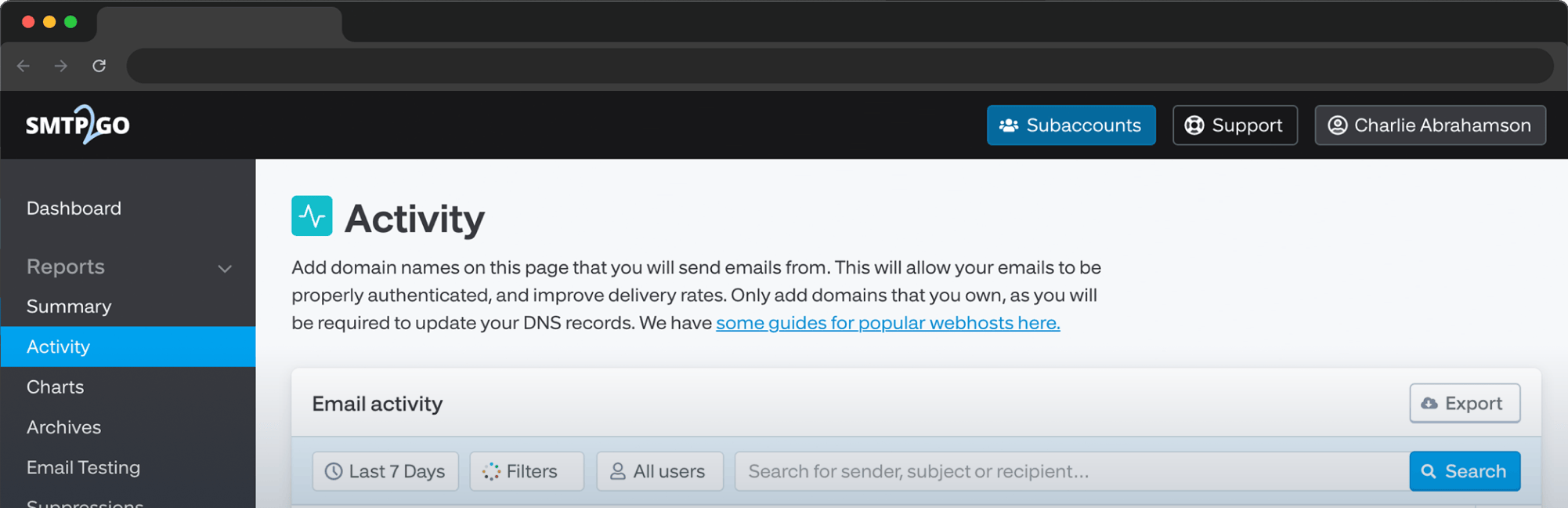
Secure links with our new SSL link tracking feature! Earlier this year, SMTP2GO launched click tracking: a handy feature that shows how recipients interact with emails, so a better user experience can be provided. Once it’s known how customers are engaging, it’s easier to tailor future mailings to their needs and interests. Similar to our open tracking feature, which records when an email is opened, click tracking records when a link within the email is clicked on.
What has changed?
Following the launch of these tracking features, we realized that, in order to stay one step ahead of the ever-changing security requirements, more needed to be done. With many looking into new methods of increasing security and ways to prevent malicious attacks, we anticipate a movement towards a widespread adoption (among web browsers and webmail providers) of “HTTPS Everywhere”. This is the practice of only allowing websites that are encrypted using SSL to ensure that the entire user experience is safe from online threats.
The Problem
Although click tracking has proved to be a useful tool for email marketers, one drawback was that the tracking domains lacked an SSL certificate and so, all links were HTTP rather than HTTPS. This would mean that if your recipient is running a browser that is implementing these security measures - such as Google Chrome - the tracking links in your emails could result in “Not Secure” browser warnings or even be prevented from opening altogether. The lack of an SSL certificate may also result in issues downloading in-email images and, worse yet, have a negative impact on the deliverability of emails.
Our solution
Our solution to this problem was to provide our users with the ability to generate an SSL certificate for their tracking domains with next to no work on their side. Using Let’s Encrypt - a non-profit certificate authority that provides certificates for millions of websites - we are now able to automatically generate and allocate SSL certificates, rewrite tracking links using HTTPS and overcome the above issues. Better yet, the certificate will automatically renew, so you won’t need to worry about making a note in your calendar.
Now, our users can enable SSL link tracking simply by ticking a box and we handle the rest. To do this, all you need to do is head to your Sender Domains page, click on the domain you wish to set up, check the “Hosted SSL” box and click “Verify”.
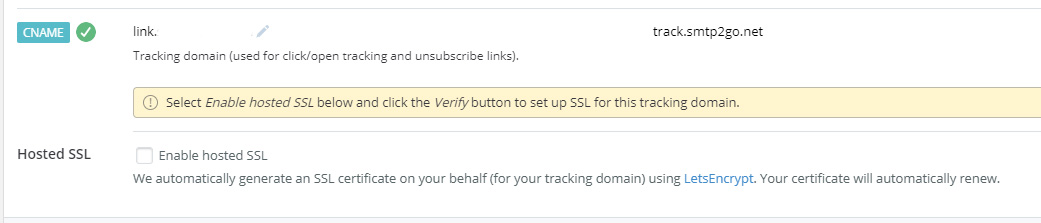
However, this does require that you already have a tracking domain set up. To do this, you will just need to add the tracking CNAME record as shown on your Sender Domains page.
And that’s it! Once enabled and verified all links within your future emails will be rewritten using HTTPS.
If you have any questions about SSL link tracking or click tracking and how it can benefit your emailing strategy feel free to get in touch.