

Are your subscribers struggling to find the unsubscribe link buried in your email footer (and no, that’s not a good thing)? The answer to streamlined unsubscribe requests lies in list-unsubscribe headers, a game-changer for email marketers.
What Are List-Unsubscribe Headers?
A list-unsubscribe header is an email header containing specific unsubscribe instructions. This allows email clients like Gmail, Yahoo, and Apple Mail to offer native unsubscribe functionality, making it easy for recipients to opt out without hunting for a link.
In fact, just recently (since June 2024), both Gmail and Yahoo have started to require a URL-based list-unsubscribe header that supports one-click unsubscribes if you send more than 5000 marketing emails per day - you’ve most likely noticed it.
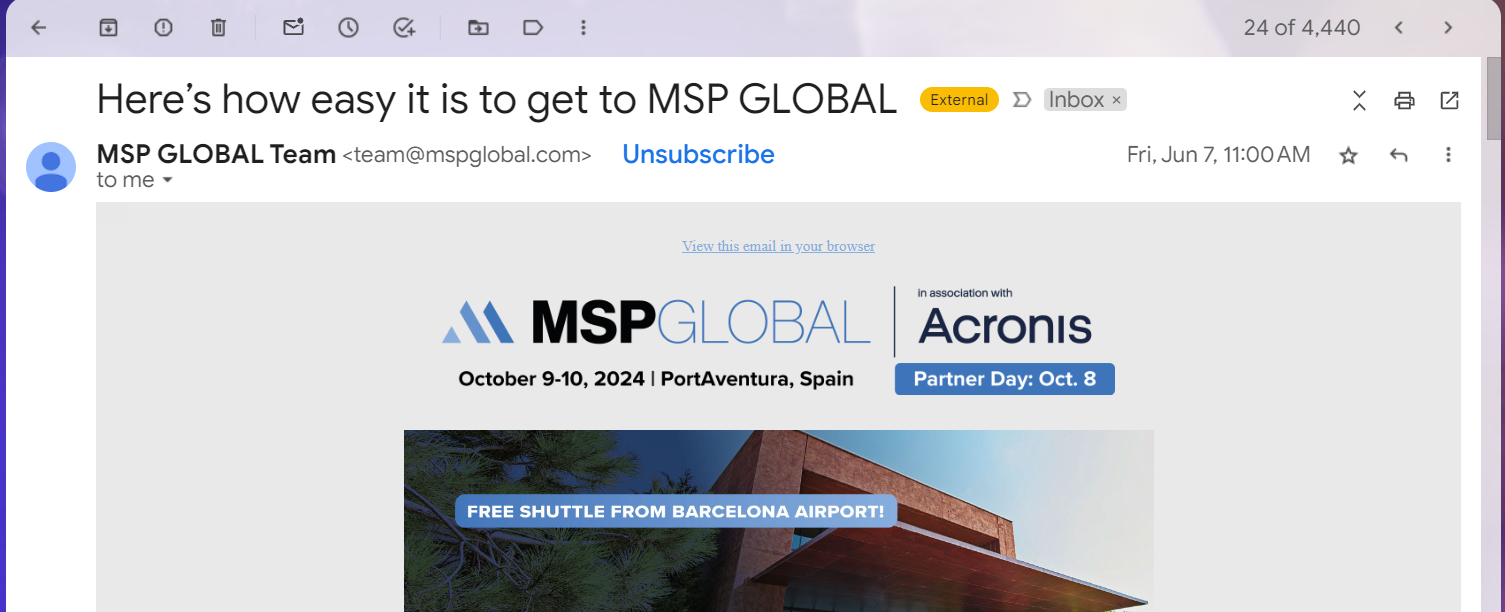
So if you haven’t already, get list-unsubscribes headers in place to ensure your emails comply and avoid delivery issues with two of the most popular inbox providers.
Why You Need List-Unsubscribe Headers
- Enhance User Trust: Simplifying the unsubscribe process builds trust with your recipients, showing respect for their preferences.
- Improve Deliverability: Clean up your email list by letting disinterested users unsubscribe easily, leading to higher engagement rates and a better sender reputation.
- Reduce Spam Complaints: Avoid being marked as spam by providing a clear, easy way for users to opt-out.
How List-Unsubscribe Headers Work
There are two main types:
- URL-based: Directs users to a webpage for instant or confirmed unsubscribes (for instant, see unsubscribe-post).
- Mailto-based: Sends an unsubscribe request via email.
Unsubscribe-post for Gmail and Yahoo one-click requirements
Using unsubscribe-post prevents spam filters from accidentally unsubscribing your users. If you choose the URL link option with instant unsubscribe, some spam filters may click on links to check for malware, which inadvertently unsubscribes your users—an undesirable outcome. The unsubscribe-post option allows you to retain the preferred “one-click” unsubscribe feature while preventing accidental unsubscribes caused by anti-spam software.
Luckily, Gmail and Yahoo have both given clear instructions on how to set this up:
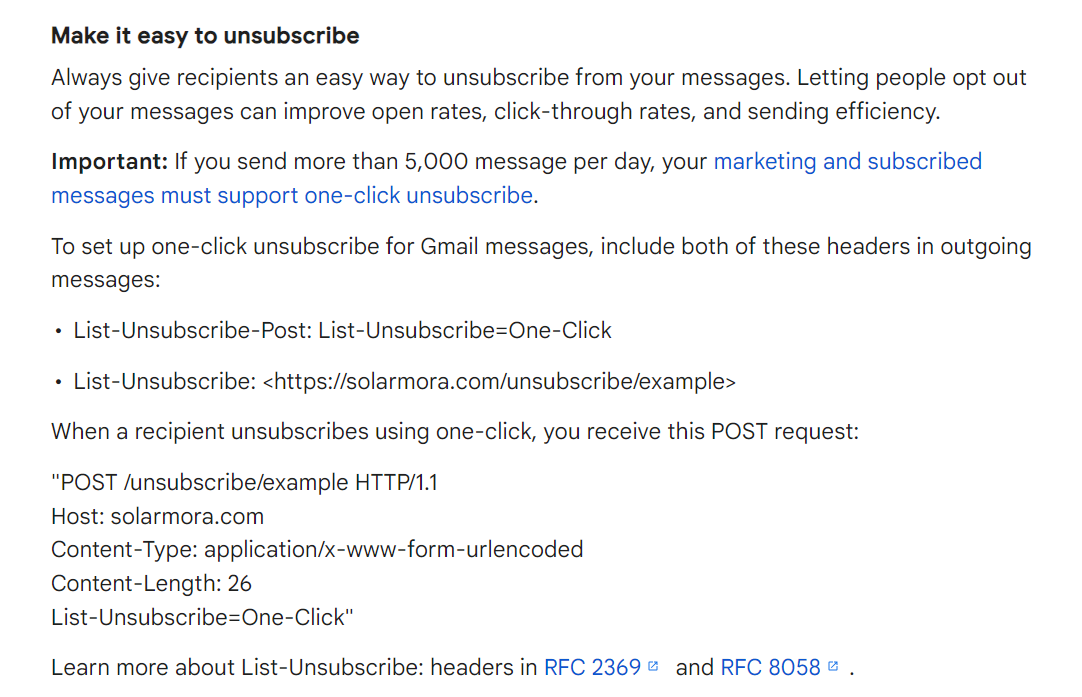
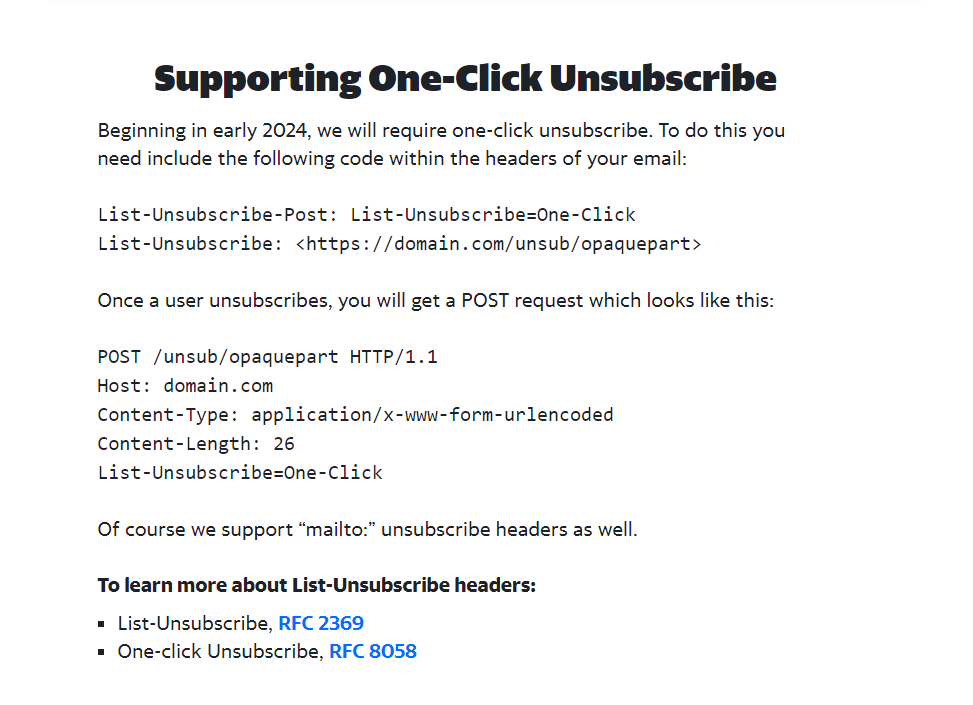
In summary, list-unsubscribe headers enhance user trust by simplifying the unsubscribe process, improve deliverability by allowing disinterested users to opt out easily, and reduce spam complaints. So start using list-unsubscribe headers today.

No thoughts shared yet. Be the first to leave a comment above!