

Enhancing your email marketing strategy with alt text is a game-changer. Alt text, short for alternative text, is a brief description added to images in your emails. When images don’t load, this small piece of text ensures your message still gets through. Here’s why it’s essential and how to use it effectively:
Why Alt Text Matters
- Accessibility: Makes your emails accessible to visually impaired recipients using screen readers.
- User Experience: Ensures recipients understand your message even if images fail to load.
- SEO Benefits: Enhances your email’s discoverability.
Best Practices
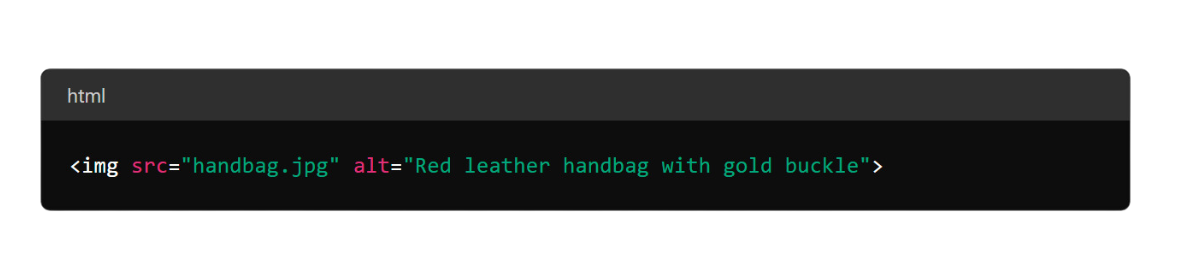
- Be Descriptive and Concise: Clearly describe the image’s content in a few words. For example, use “Red leather handbag with gold buckle” instead of “Image of a product.”
- Use Relevant Keywords: Integrate keywords naturally for better SEO without stuffing.
- Skip Decorative Images: Use an empty alt attribute (
alt="") for non-essential images.
Adding Alt Text (HTML)
- HTML Code: Include alt text in the image tag, like so:
Alt Text in Action
- Promotional Banners: Describe the promotion and action, e.g., “50% off summer sale - shop now!”
- Product Images: Highlight key features, e.g., “4K Ultra HD Smart TV with built-in streaming apps.”
Conclusion
Incorporating alt text into your emails enhances accessibility and maintains engagement even when images do not load. Happy emailing!

No thoughts shared yet. Be the first to leave a comment above!