

For the third year running, EmailToolTester has ranked SMTP2GO the #1 best free SMTP server. Not our words. Theirs: an independent review site that ran four rounds of live deliverability testing across nine transactional email providers, watched where the mail actually landed, and put SMTP2GO on top with a 96% average.
We’re proud of that. But a ranking on its own doesn’t help you choose an SMTP server, and most award announcements stop exactly where they should start. So this page gives you the rest: the full test scores, every major free tier laid out with its real limits (daily caps, credit cards, expiry dates, the catch), and honest notes on where a competitor is genuinely the better fit. Yes, we sell one of the services below. The deliverability numbers come from EmailToolTester’s testing, and every allowance was checked against each provider’s own documentation in August 2026. Where we couldn’t confirm something, we’ve said so instead of guessing.
If you just want the answer:
- Best free SMTP server, per independent testing: SMTP2GO, ranked #1 by EmailToolTester three years in a row. 1,000 emails a month, no credit card, no expiry, 96% average deliverability across their four Glockapps rounds.
- Best for developers on modern stacks: Resend. 3,000 a month, lovely API, hard 100/day ceiling.
- Best for testing without sending: a capture sandbox (Mailtrap’s testing product, or free local tools like Mailpit), not a real relay. More on that below, because it’s a different job.
- Skip: SendGrid, whose free plan no longer exists, and Amazon SES if you’re opening a new AWS account, for reasons that surprise most people.
The rest of this guide is the fine print, starting with the test itself.
The test that put SMTP2GO at #1 for email delivery
EmailToolTester doesn’t hand out that ranking on vibes. They ran four separate rounds of deliverability testing across nine transactional email providers, using Glockapps to send test emails to a seed list of more than 20 international mailbox providers (Gmail, Outlook, Yahoo, and the rest), then recorded what reached the inbox, what hit spam, and what never arrived. Along the way they checked each provider’s server reputation, SPF, DKIM, and DMARC authentication, and blocklist status.
The averages across all four rounds:
| Rank | Provider | Average deliverability |
|---|---|---|
| 1 | SMTP2GO | 96% |
| 2 | Postmark | 94% |
| 3 | MailerSend | 87% |
| 4 | Mailjet | 85% |
| 5 | SendGrid | 82% |
| 6 | Brevo | 80% |
| 7 | Mailtrap | 77% |
| 8 | SendPulse | 74% |
| 9 | Elastic Email | 60% |
Source: EmailToolTester’s free SMTP server testing, most recently updated August 2026. SendPulse and Mailtrap appear in their scores but sit outside our comparison table below; their write-up covers both.
Three honest notes on those numbers, because a winner quoting a test owes you the caveats. First, the one place SMTP2GO’s mail got flagged was Yandex.ru, and every provider in the test failed there too. Second, EmailToolTester’s own view is that once you’re sending real volume, your domain’s reputation matters more than the relay carrying it; they put the provider’s share of the outcome at roughly 30%. Third, Elastic Email’s 60% doesn’t mean 40% of every sender’s mail vanishes forever, it means a lot of seed-test mail landed in spam folders. Directionally, though, that spread is the whole story. On a free plan you can’t buy your way off a bad shared IP, so the provider’s baseline is the biggest lever you control. A free allowance that lands in spam is worth nothing. 1,000 emails delivered beats 9,000 emails filtered.
One more reason an independent #1 matters on this particular topic: look at who publishes the other “best free SMTP server” lists sometime. Nearly all of them are providers ranking themselves first. Brevo’s list crowns Brevo, UniOne’s crowns UniOne, Mailtrap features Mailtrap prominently. We’re a provider too, which is exactly why we’d rather point at someone else’s test than grade our own homework.
Now, what each free tier actually gives you.
Free SMTP servers compared
| Provider | Free allowance | Daily cap | Card required? | Expires? | The catch |
|---|---|---|---|---|---|
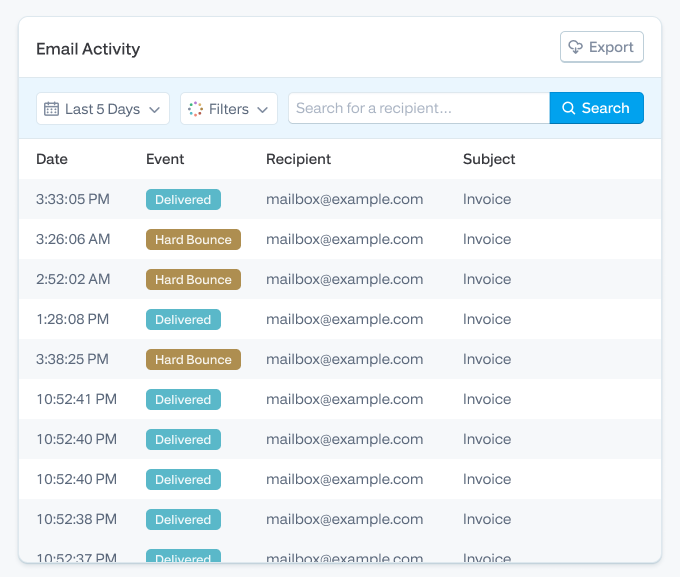
| SMTP2GO | 1,000/month | 200/day (25/hour at first; support lifts it on request) | No | Never | Reporting history is capped at 5 days on the free plan |
| Brevo | ~9,000/month | 300/day | No | Never | Scored 80% in independent deliverability tests, with inconsistent rounds |
| Mailjet | 6,000/month | 200/day | No | Never | Mailjet branding on free emails; support won’t dig into delivery problems on the free plan |
| Resend | 3,000/month | 100/day | No | Never | One sending domain; received emails count against your quota |
| MailerSend | 500/month | 100/day | No | Never | Account approval required; activity data kept for 1 day; allowance has been cut twice since 2024 |
| Amazon SES | New AWS accounts: up to $200 in general AWS credits (no SES-specific free tier). Older accounts: 3,000 message charges/month for the first 12 months | Sandbox limits until you request production access | AWS account with billing | Credits: 6 months. Legacy tier: 12 months | It’s infrastructure, not a service. No human support without a paid support plan, and new accounts start in a sandbox that only sends to verified addresses |
| Postmark | 100/month | n/a | No | Never | 100 emails is an evaluation sandbox, not a sending plan; data is hosted in the US only |
| Elastic Email | ~3,000/month | 100/day | No | Never | Free accounts sit on shared IPs that scored worst (60%) in independent deliverability tests |
| Gmail (personal) | ~15,000/month in theory | 500 per rolling 24 hours | No | Never | You must send from your @gmail.com address, recipients per message are capped, and hitting the limit locks sending for up to 24 hours |
| SendGrid | None. The free plan ended in 2025 | 100/day during a 60-day trial only | No | Yes, 60 days | The trial is a trial. After 60 days you pay or you stop |
Sources: provider documentation and pricing pages, August 2026; deliverability averages from EmailToolTester’s four-round Glockapps testing of nine transactional providers.
Per-day caps vs. monthly allowances
Here’s the thing the headline numbers hide. Transactional email is bursty. Nobody resets their password on a schedule.
Brevo’s ~9,000 a month sounds nine times more generous than SMTP2GO’s 1,000. But it arrives as a hard 300-per-day drip. If your store sends 450 order confirmations on a busy Saturday, 150 of them wait until Sunday. For a newsletter, that’s annoying. For receipts and password resets, it’s a support queue.
A monthly allowance with a high daily ceiling behaves the opposite way: it absorbs spikes and runs out gracefully, with warning, at the end of the month. So the right question isn’t “which number is bigger.” It’s “does my sending arrive in bursts or a drip?” Apps burst. Newsletters drip. Pick the shape that matches, then the size.
One more piece of arithmetic worth doing before you choose anything: 1,000 a month is about 33 emails a day. 500 a month is 16 a day. If your app has 300 active users and sends each of them a welcome email, a verification email, and the occasional reset, you’ll clear 500 in the first week. Count your emails per user per month, multiply, and be honest.
The fine print, provider by provider
SMTP2GO (that’s us). The free plan is 1,000 emails a month with no card and no expiry, and it includes things most providers gate behind payment: 24/7 human support via ticket, team access for multiple users, and the option of EU-hosted sending servers if GDPR data residency matters to you. The honest limitations: reporting history is 5 days on the free tier, new accounts start with a 25-per-hour rate limit (a quick support ticket lifts it), and the plan tops out at 200 a day. And the deliverability isn’t our claim to make: EmailToolTester has ranked this free plan #1 for three consecutive years now, full scores above. Any relay can have one good testing round. Three years of them is the part we’re actually proud of, because it means the result survives IP changes, volume growth, and whatever the mailbox providers changed that quarter.
Brevo. If you want the most free volume plus a full marketing suite (campaign editor, automations, CRM), Brevo is genuinely the right pick, and we’d rather tell you that than have you find out later. The trade-offs are the 300/day cap and deliverability that tested mid-pack at 80%, with rounds where Outlook and Hotmail junked a lot of its mail. Fine for a newsletter you can resend. Riskier for a receipt someone’s waiting on.
Mailjet. Similar shape to Brevo: 6,000 a month, 200 a day, newsletter tooling included, decent 85% average in testing. Two things to know before you commit. Free emails carry Mailjet branding, and free-plan support is documentation-only, so when delivery to one mailbox provider goes sideways you’re on your own.
Resend. The developer favorite, and deservedly so if you live in a modern JavaScript stack: clean API, React Email templates, quick setup. The free plan is 3,000 a month with a hard 100/day cap, one verified domain, and a quota that counts received emails too, which surprises people running inbound. Do the math and 100 a day is the real number; the 3,000 is mostly decorative.
MailerSend. A solid product with a shrinking welcome mat. The free allowance went from 12,000 a month to 3,000, then dropped to 500 a month with a 100/day cap in December 2025, and new accounts need approval before full sending. Activity data is retained for one day on the free plan, which makes debugging yesterday’s bounce an act of memory. It tested well for deliverability (87%), so if you’re paying anyway it’s a fair choice. As a free plan, it’s now for trying the product, not running on it.
Amazon SES. The cheapest way to send email at scale, full stop: $0.10 per 1,000 emails, pay as you go. But the “free SMTP server” framing is now mostly a memory, and a lot of roundups haven’t caught up. The famous 62,000-free-emails-from-EC2 tier died in August 2023. Its replacement, 3,000 free message charges a month for your first 12 months, was then closed to new customers: AWS accounts created since July 15, 2025 get up to $200 in general AWS credits instead, usable for 6 months, and as of July 2026 the SES-specific free tier isn’t offered to new signups at all. Add the sandbox (new accounts can only email verified addresses until you file a production access request and wait on a human review), no support without a paid support plan, and DNS you configure entirely yourself, and SES is best understood as excellent plumbing for engineering teams, not a free plan for a small business. We’ve onboarded plenty of ex-SES users; ThinkPorch moved to SMTP2GO after waiting days on AWS support during a delivery incident, which is the failure mode to price in: SES is cheap right up until you need a person.
Postmark. Beautiful deliverability (94% average, second in testing) and a strong reputation among developers. But the free tier is 100 emails a month. That’s an evaluation allowance for testing the API, and Postmark is upfront that quality costs money, with paid plans from $15. One more consideration for European senders: Postmark hosts data in the US only, with no EU residency option.
Elastic Email. Cheap paid plans, likable live chat support, and the worst free-tier deliverability in the independent tests at 60%, which Elastic’s own support attributed to the shared IPs free accounts sit on. A free plan that lands in spam isn’t free. It costs you every email it eats.
Gmail’s free SMTP server
Yes, Gmail gives you a real SMTP server (smtp.gmail.com) for nothing, and for a personal script that emails you a daily report, it’s honestly fine. Here’s where it stops being fine.
A personal account can send around 500 emails per rolling 24 hours, with a cap on recipients per message. Blow the limit and Google doesn’t queue your mail; it locks sending for up to 24 hours, mid-burst, no appeal. Your From address has to be your @gmail.com address, which looks exactly as professional as it sounds on an invoice. The 2,000/day tier everyone cites belongs to Google Workspace, which is a paid product, so it’s not a free SMTP server, it’s an SMTP server you’re already paying for. And application email needs things Gmail’s relay simply doesn’t do: bounce categorization, suppression lists, delivery logs you can search, webhooks. When an email fails, you find out from a customer.
So: hobby scripts, yes. Anything a business depends on, no. If you’re currently wiring a web app or a printer to Gmail SMTP, an actual relay (here’s a plain-English intro to what a relay does) will cost you the same $0 and fail you far less often.
Free SMTP for testing: you might not want a real server at all
“Free SMTP server for testing” is a different question from “free SMTP server,” and mixing them up is how test emails end up in real customers’ inboxes. Ask anyone who’s run a staging environment against production credentials exactly once.
For development and QA, what you usually want is a capture tool: something that accepts SMTP traffic and shows you the email without delivering it. Mailtrap’s testing sandbox is the best-known hosted option, and open-source tools like Mailpit or smtp4dev do the same job locally for free, no account at all. Your app thinks it sent the email. Nobody receives it. Perfect.
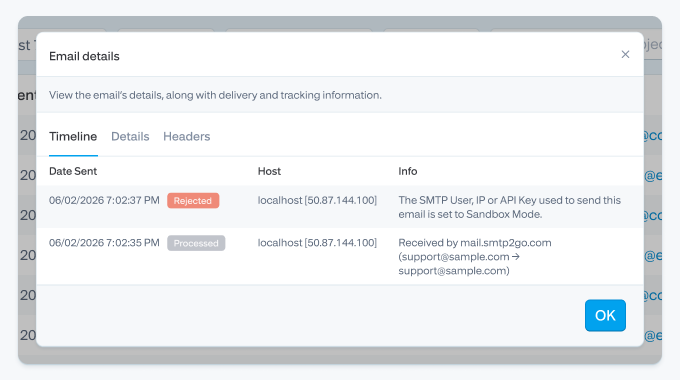
You need a real relay in testing for exactly one class of problem: verifying the production path itself, meaning SPF, DKIM, and DMARC alignment, TLS negotiation with a legacy device, actual inbox placement. For that, use a real provider on a dedicated subdomain so your experiments can’t bruise your main domain’s reputation. SMTP2GO also has a sandbox mode that accepts and logs messages through the real pipeline but never delivers them, which is the middle ground: real authentication, real logging, zero risk of emailing a human.
I set up a free plan from scratch…
I’ve walked a lot of customers through this since 2015, but for this article I did it clean: new account, new test domain, timer running.
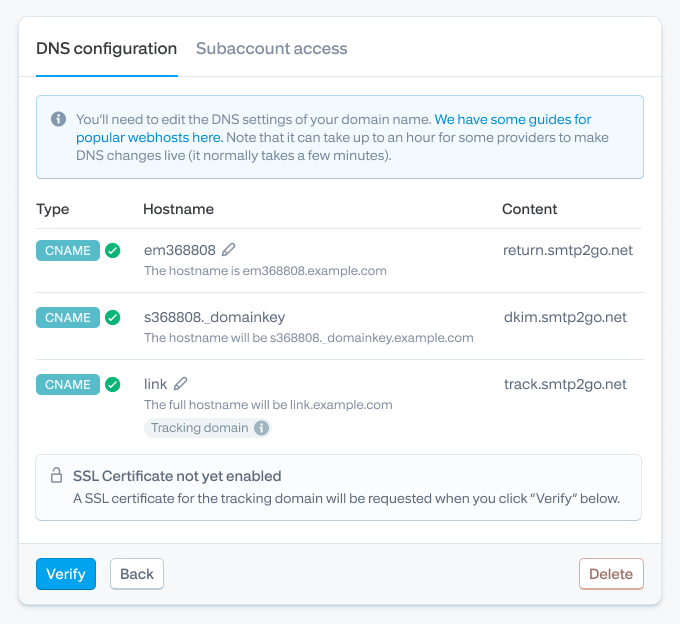
Sign-up needs a work email and no card. The step that actually matters, and the one people skip, is adding a sender domain: three CNAME records covering DKIM, the return path, and link tracking. Skip this and your mail goes out technically, but authenticated against a shared domain instead of yours, and in 2026 that’s a spam-folder lottery. Google and Yahoo have required DMARC-aligned authentication for bulk senders (5,000+ messages/day to their mailboxes) since February 2024, and the direction of travel for smaller senders is identical.
The messy reality, because there always is some: my registrar auto-appended the domain to the CNAME host value, so the record briefly published as em1234.example.com.example.com. A classic. The dashboard’s verification check caught it, I trimmed the host field, and re-verified. If your registrar supports it, SMTP2GO can now add the DNS records for you automatically, which removes this entire category of typo.
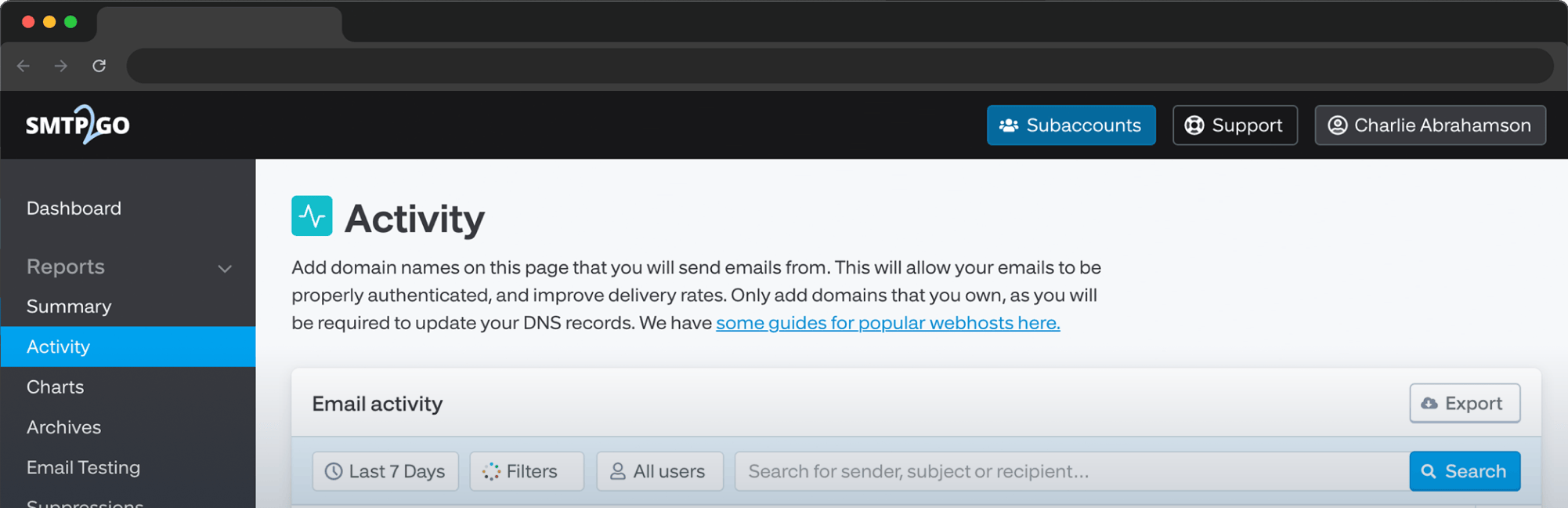
Then: create an SMTP user, point your app or device at the server on port 587, and send. If 587 times out you’re almost certainly behind a firewall or ISP that blocks it; switch to 2525, which exists for exactly this reason, and which several cloud hosts prefer anyway. Watch the first sends land in the Activity page, check the DKIM pass, done.
Two things I tell every new free-plan user. First, the initial 25/hour rate limit is real and it will queue a burst; open a ticket and we remove it, usually quickly. Second, when an address hard bounces we suppress it automatically, so if a test address “stops working,” check the suppression list before you check anything else. That behavior protects your sender reputation, but it confuses people on day one. (More on hard vs. soft bounces here.)
When free is enough, and when it isn’t
Free is genuinely enough for a lot of senders, and we’d rather you use our free plan forever than pay for volume you don’t send. Under about 30 emails a day, any of the monthly-allowance providers above will carry you indefinitely.
The upgrade trigger usually isn’t volume. It’s consequence. You should pay for email the day a failed email starts costing money: missed order confirmations becoming support tickets, a password reset that didn’t arrive becoming a churned customer, a copier’s scan-to-email silently dying at month’s end because the free quota ran out on the 26th. At that point the things worth paying for aren’t more emails, they’re longer log retention, support that answers at 3 a.m., and a sane path to warming up higher volumes when you grow. Rough rule: past 1,000 to 2,000 emails a month, or the first time you screenshot a delivery log for a customer, look at paid plans. If you’re weighing full paid services against each other, we’ve written an honest comparison of the best transactional email services too.
Not one you’d want. Open relays, servers that accepted mail from anyone, were standard in the 1990s and became the engine of the spam industry, so blocklist operators hunted them to extinction and ISPs began blocking outbound port 25 by default. Any “no auth needed” server you find today is either a honeypot logging your traffic or already so blocklisted that nothing it sends gets delivered. What people asking this usually have is a device (an older printer, scanner, or phone system) that struggles with modern authentication. The fix isn’t removing auth, it’s a relay that keeps auth simple: a plain username and password over port 2525 or 587 works on almost every legacy device we’ve seen since 2011, and that’s a lot of copiers. Our scan-to-email troubleshooting guide covers the common device quirks. Most don’t: SMTP2GO, Brevo, Mailjet, Resend, MailerSend, and Elastic Email are ongoing. The exceptions are the big-name ones. SendGrid’s “free plan” is now a 60-day trial. Amazon’s new-account credits last 6 months, and its legacy SES free tier expired after 12. Check the expiry column before you build. 587 with STARTTLS first. If it’s blocked (corporate firewalls and some ISPs and cloud hosts do this), 2525 is the standard workaround. 465 works where legacy systems demand implicit TLS. Never send outbound on 25; most networks block it and every spam filter squints at it. Of the providers here, only Amazon SES, indirectly: you can’t have an AWS account without billing details. Everyone else on the table is card-free at signup. You can, and daily caps will hurt more (see the math trap above). Whatever provider you pick, bulk sending has compliance floors now: one-click unsubscribe headers and DMARC for larger senders to Gmail and Yahoo, plus CAN-SPAM, GDPR, or CASL depending on where your recipients live. Our email compliance guide covers what applies to you. SMTP works with everything ever built, including that 2009 multifunction printer. An API is faster and gives richer error handling if you control the code. Most providers here, us included, offer both on free plans, so this doesn’t need to drive the choice.Frequently asked questions
Whichever provider fits, set up your sender domain before you send anything that matters. It’s twenty minutes that decides whether the next year of your email lands in inboxes or in spam.
And if what you want is the free plan an independent tester keeps ranking first (real deliverability on a small volume, humans answering support, no card, no clock), the SMTP2GO free plan is here. It’s free for as long as you like.



No thoughts shared yet. Be the first to leave a comment above!