

Sandbox Mode can be utilized to safely test sending without emails being delivered to recipients, which can save you from potentially damaging your sending reputation or sending emails you did not mean to send.
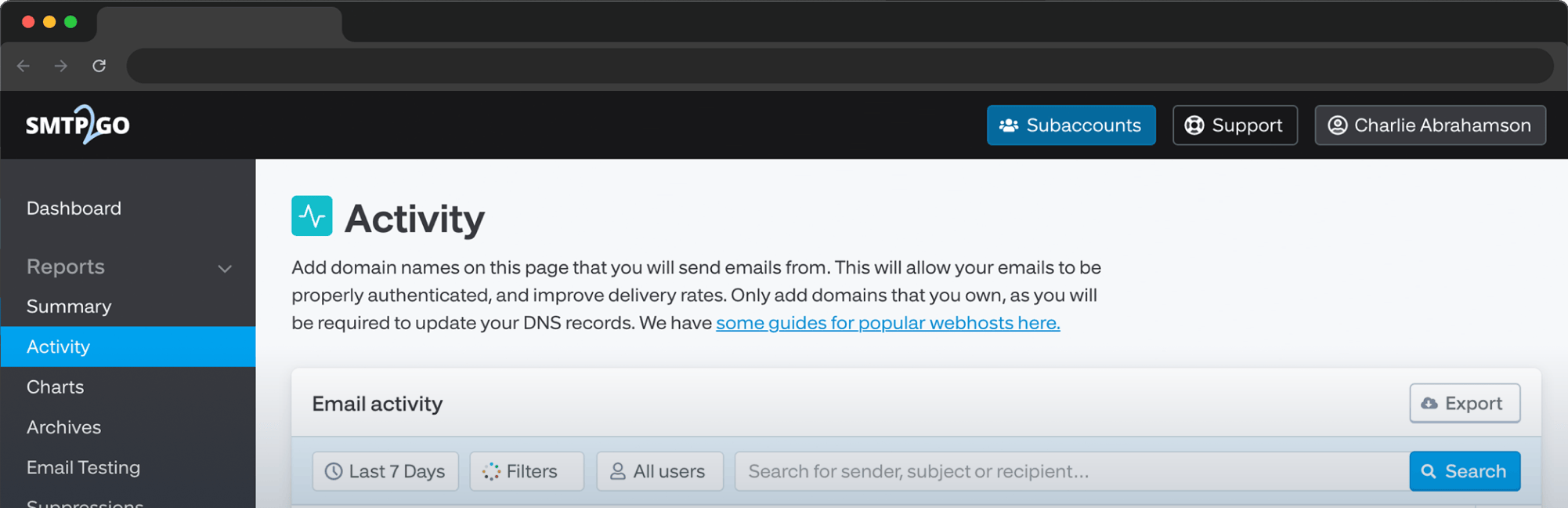
Emails will be processed by SMTP2GO’s infrastructure and shown in the App on your Reports > Activity page as Rejected due to them being discarded. It is important to note that even though the emails will not be delivered to recipients, they will still count towards your plan’s monthly sending quota. The Sandbox mode is enabled individually for SMTP Users, Authenticated IPs (IP Authentication) or API Keys in their respective sections:
SMTP User Sending > SMTP Users > select the SMTP User > Tracking & Status tab > set the User Status to Sandboxed > click the Save Changes button. IP Authentication Sending > IP Authentication > select the IP or IP range > Tracking & Status tab > set the User Status to Sandboxed > click the Save Changes button.
API Key Sending > API Keys > select the API Key > Tracking & Status tab > set the User Status to Sandboxed > click the Save Changes button.
An SMTP User for example: 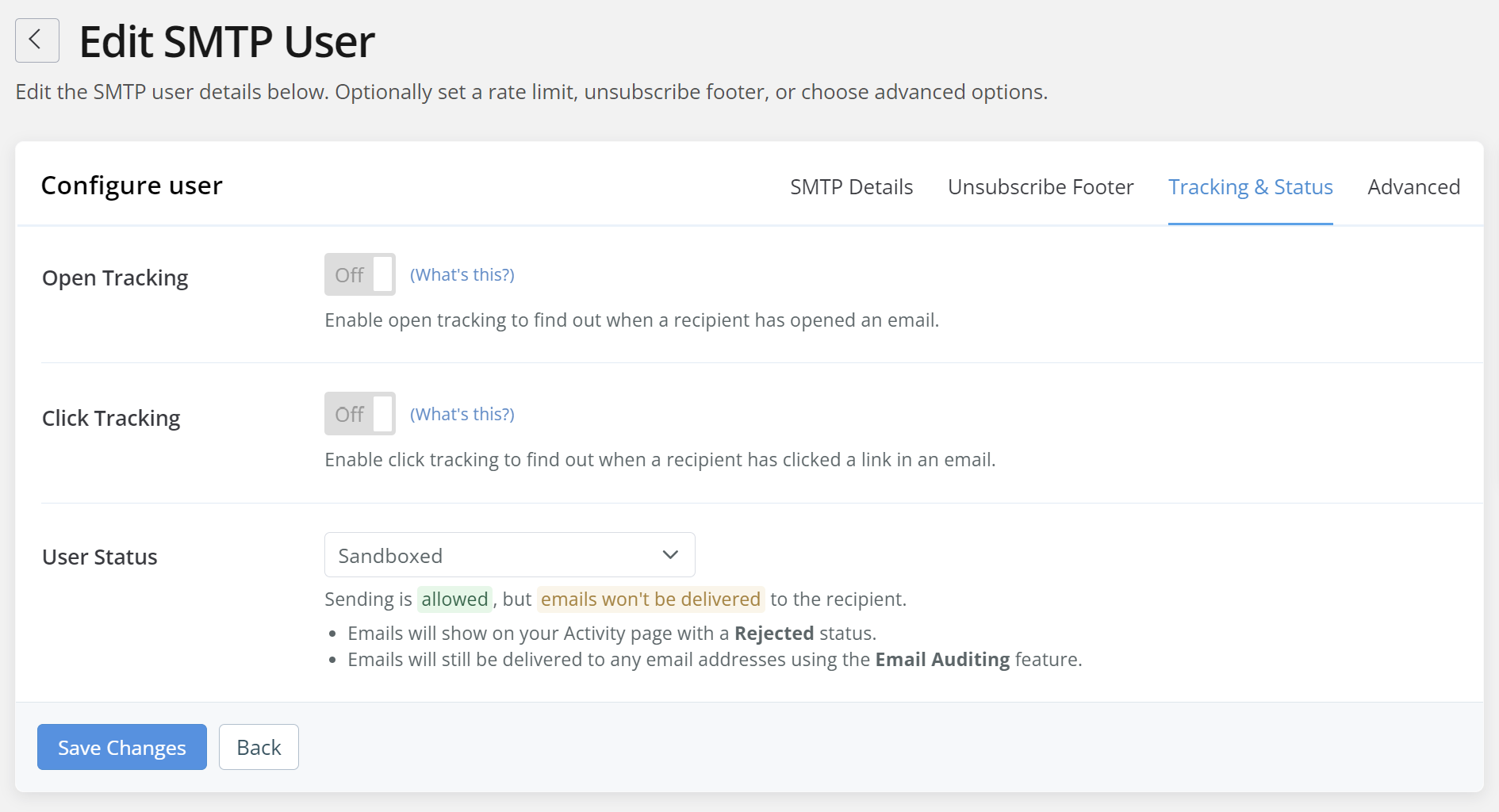
To receive a copy of Sandboxed email, you need to enable “Email Auditing” and add a valid recipient email. You can find these settings in the in the “Advanced” tab:
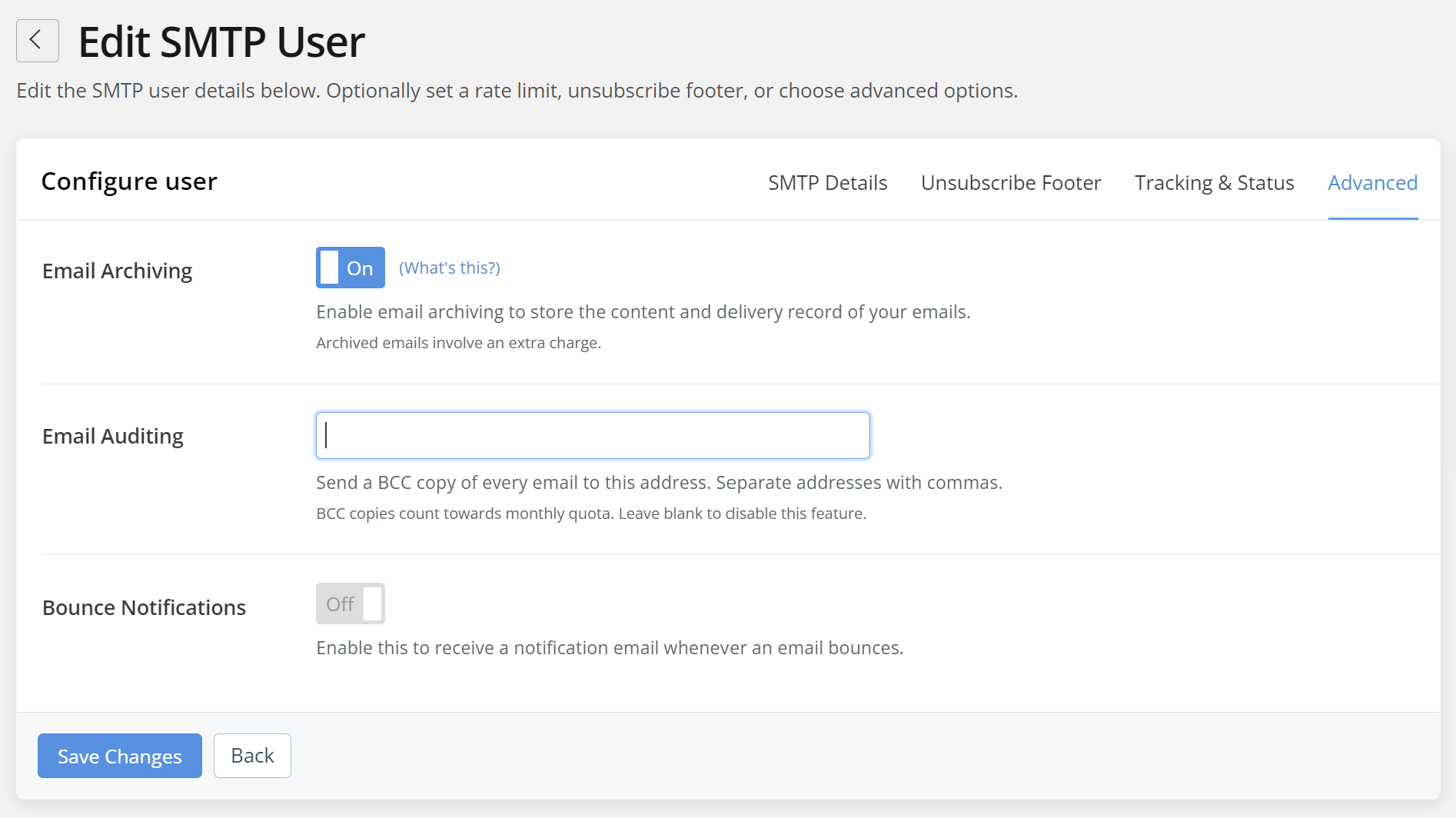
Once set to “Sandboxed”, you can safely begin sending, view reporting and use further features available in your SMTP2GO account.
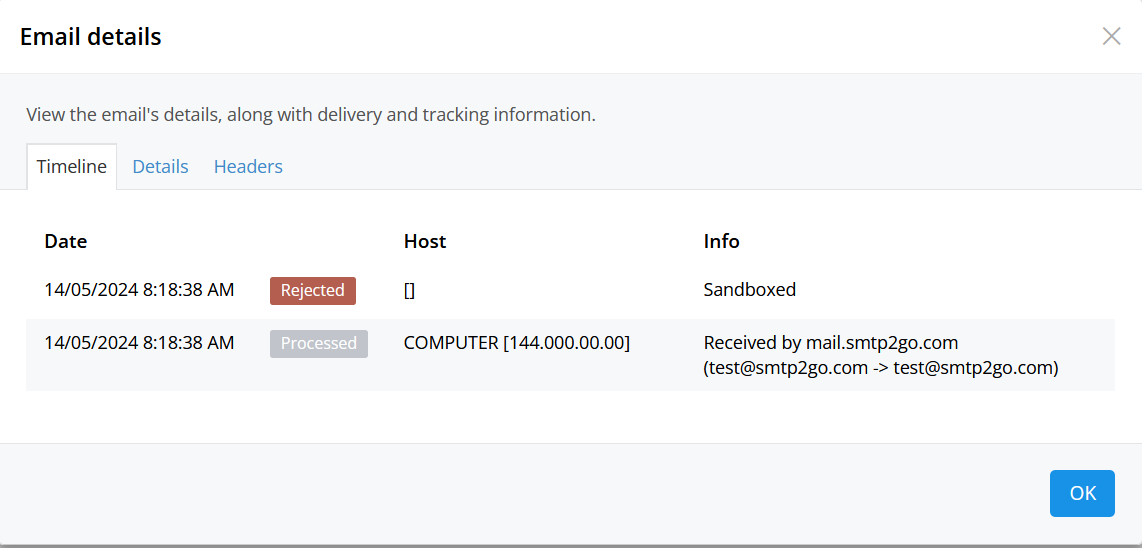 After completing your tests, you can change the User Status for your SMTP User, API Key or Authenticated IP from Sandboxed to Allowed. Moving forward, emails will be attempted for delivery instead of being discarded. If you have questions when using the Sandbox mode or any other part of the SMTP2GO service, please contact our friendly support team for assistance.



No thoughts shared yet. Be the first to leave a comment above!