
Key takeaways
A 4xx means temporary — retry, then look closer if it persists. A 5xx means permanent for that attempt, so fix the cause before resending. When enhanced codes are present, like 5.7.26, read those first rather than the base 550; they’re far more specific. Most rejections in 2026 aren’t bad addresses — they’re authentication failures (5.7.x). And whatever the code, always read the human-readable text after it. That’s where the real fix lives.
You hit send. The recipient never gets it. Back comes a wall of text with something like 550 5.7.26 buried in it. This page tells you what every code means and what to actually do about it. Bookmark it.
SMTP error codes in 30 seconds…
Three digits, sometimes with three more after a dot. The first digit is the headline: 2xx success, 4xx temporary, 5xx permanent. The dotted enhanced code (defined in RFC 3463) reads as Class. Subject. Detail.
So 550 5.7.26 unauthenticated email from yourdomain.com decodes as: 5 (permanent), 5.7 (security or policy), .26 (DMARC failure). Not a retry. A DMARC record fix.
The triage rule. Every code falls into one of five buckets:
- Retry. It’s transient. Most 4xx. Walk away.
- Fix the recipient. Bad address, no mailbox, suppressed. Most
5.1.x. - Fix authentication. SPF, DKIM, DMARC. Most
5.7.x. - Fix content. Attachment too big, broken HTML, spam triggers.
5.6.xand some5.7.x. - Fix reputation. IP or domain blocklisted, complaint rate too high. Some
5.7.x, some554.
How an SMTP error message is structured
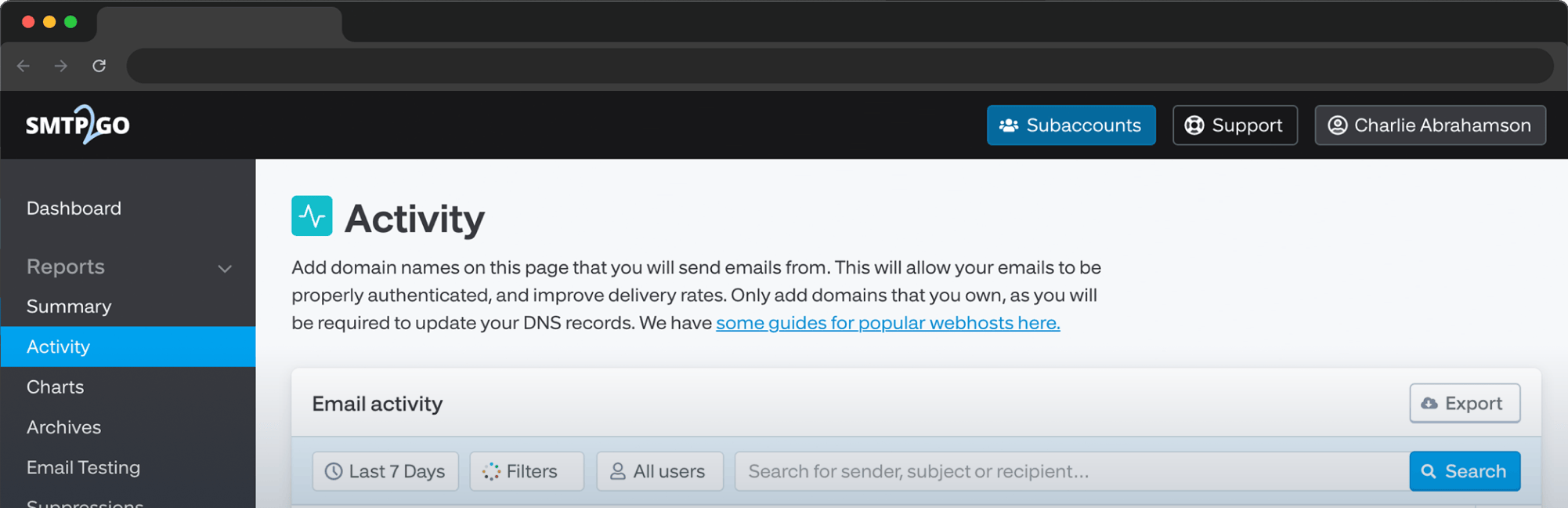
Pull a real one from an SMTP2GO Activity log:
550-5.7.26 Unauthenticated email from example.com is not accepted due to
550-5.7.26 the sender domain's DMARC policy. Please contact the administrator
550 5.7.26 of example.com for more information.
Three pieces. Base code (550): permanent. Enhanced code (5.7.26): DMARC failure. Human-readable text: the actual hint. Read it every time. It costs you four seconds.
A quick note from the trenches. Plenty of senders react to the number and skip the text. With 5.7.26, that’s how you end up republishing DKIM three times before realizing the real problem was SPF missing include:spf.smtp2go.com.
4xx codes: temporary failures
Soft bounces. SMTP2GO retries automatically on a schedule with backoff. If the cause clears, the message delivers. If it doesn’t, the 4xx eventually converts to a 5xx. Don’t manually resend on top of an automatic retry queue. You’ll just compound the rate-limit problem you may already have.
421
Service not available. The receiving server is refusing right now. Rate-limited, overloaded, or throttling.
Gmail variant: 421 4.7.28 ... unusual rate of unsolicited mail. Gmail telling you complaints or volume have spiked. Check your complaint rate against the 0.3% threshold tightened in early 2024 [VERIFY: link to current SMTP2GO Gmail/Yahoo guide].
Fix. Wait. If the same 421 keeps appearing across many recipients, the cause is on your side. Look at sending volume, complaint rate, and recent changes (new sender domain, new IP, new campaign type).
450
Mailbox temporarily unavailable. Maintenance window, greylisting (a deliberate first-attempt rejection that goes away on retry), or a temporary anti-spam hold. The retry usually goes through on the second or third attempt.
451
Local processing error. Something broke on the receiving side. Not your fault. SMTP2GO will retry. If you see 451 across many recipient domains at once, it’s probably you, not them. Often a stale auth record or a silently suspended sender domain.
452
Insufficient storage. Out of disk space on the recipient’s server, or too many recipients in one envelope. If you’re hitting it on a multi-recipient send, drop the rest into BCC and put one address in TO.
| Code | Meaning | Cause | What to do |
|---|---|---|---|
421 |
Service unavailable | Rate limit, overload | Wait. Investigate if persistent |
421 4.7.28 |
Gmail rate limit | Volume or complaint spike | Slow down. Audit list quality |
450 |
Mailbox temp unavailable | Maintenance, greylisting | Wait |
451 |
Local processing error | Recipient-side transient | Wait. Check auth if persistent |
452 |
Insufficient storage | Recipient full, or too many TO recipients | Wait, or restructure list |
| “Go slow” queue | Recipient asked us to slow down | Yahoo, Microsoft, Apple pressure | Check auth and complaint rate |
5xx codes: permanent failures
Hard bounces. SMTP2GO automatically suppresses addresses that hard-bounce to protect your sending reputation. More on the suppression system.
550
Mailbox unavailable. The most common permanent code, and the most ambiguous. The enhanced code and human text are the real diagnostic. The 550 family covers:
- Recipient doesn’t exist (
550 5.1.1) - Domain has no MX records (
550 unroutable domain) - Mailbox disabled or removed (
550 5.2.1) - Policy rejection: DMARC, SPF, blocklist, content (
550 5.7.x) - Relay denied because you’re not authenticated
(550 relay access denied) - Sender domain not verified inside your relay account (SMTP2GO-specific:
550 5.7.750 client blocked from sending from unregistered domains)
For SMTP2GO-specific 550 variants, see the dedicated 550 guide.
551
User not local. Rare in 2026. Today it usually means a relay rejection: the server is refusing to forward because you’re not a known sender. Use the correct destination address.
552
Mailbox full. Usually 552 5.2.2. Wait 24 hours, retry once, then suppress and contact the recipient through another channel if it matters.
553
Mailbox name not allowed. The address is malformed, or you’re sending from a From address the relay won’t allow. Check the address syntax and your sender verification status.
554
Transaction failed. The catch-all. Almost always one of three things:
- Your IP or domain is on a blocklist (
554 5.7.1 service unavailable,blocked using Spamhaus) - The message hit a content filter
- The recipient server doesn’t trust your reputation
Fix. Run the message through Mail-Tester. Check your IP against MXToolbox blacklists. Audit auth. On a shared SMTP2GO IP with no obvious cause, contact support. For the longer play, see how to escape an email blocklist.
| Code | Meaning | Cause | What to do |
|---|---|---|---|
550 |
Mailbox unavailable / generic fail | See enhanced code | Read the dotted code and text |
551 |
User not local | Relay denied or wrong server | Check the relay path |
552 |
Mailbox over quota | Recipient inbox full | Wait or suppress |
553 |
Mailbox name not allowed | Malformed address, unauthorized sender | Fix address, verify sender |
554 |
Transaction failed | Blocklist, content, reputation | Audit auth, content, blocklist status |
Enhanced status codes: the 5.x.x system
This is where reference pages usually thin out. We’re going to be specific.
RFC 3463 defines three numbers separated by dots. Class. Subject. Detail.
Class digit: 2 success, 4 temporary, 5 permanent.
Subject digit (the category):
.0other or undefined.1addressing (From or To).2mailbox status (full, disabled).3mail system status.4network or routing (DNS, MX).5mail delivery protocol.6message content or media.7security or policy (auth, spam, blocklist)
Detail digit: the specific sub-condition.
So 5.7.26 reads as permanent, security or policy, DMARC. 4.2.2 reads as temporary, mailbox, over-quota. Once you know the subject digit you know which family you’re in.
| Code | Meaning | Bucket |
|---|---|---|
5.1.0 |
Sender address rejected (Microsoft) | Fix auth / fix sender |
5.1.1 |
Recipient doesn’t exist | Fix recipient |
5.1.10 |
Recipient not found (Microsoft variant) | Fix recipient |
5.2.2 |
Recipient mailbox over quota | Wait / fix recipient |
5.4.1 |
Recipient address rejected | Fix recipient or wait |
5.4.4 |
Unable to route | Network / DNS |
5.7.0 |
Local policy violation | Fix content or auth |
5.7.1 |
Relay denied, sender denied, or blocklisted | Fix auth or contact recipient |
5.7.26 |
DMARC failure (Gmail) | Fix authentication |
5.7.350 |
Microsoft 365 policy reject | Fix authentication |
5.7.367 |
Gmail bulk-sender enforcement | Fix authentication |
5.1.x recipient and address errors
5.1.1 The email account you tried to reach does not exist
The mailbox isn’t there. Typo, person left, account deleted. Common wording: “user unknown,” “no mailbox by that name.” Don’t retry. SMTP2GO suppresses automatically. Remove the address. If it used to work, ask the recipient through another channel for the current one.
5.1.10 is the Microsoft 365 variant. Same diagnosis, same fix.
5.1.0 Sender address rejected
The recipient doesn’t trust your sender. Often because your From domain has no valid MX record, your sender IP can’t be reverse-DNS’d, or your address looks like spoofing.
Fix. Make sure your sender domain has a valid MX, SPF, and DKIM. If you’re sending from a no-reply address, the domain itself still needs to be fully configured.
5.4.x routing, DNS, and MX errors
5.4.4 Unable to route
DNS lookup couldn’t find a path to the recipient’s mail server. Either broken MX records, or transient DNS. Run a DNS lookup on the recipient’s domain at MXToolbox. If MX records exist, SMTP2GO will retry. If it’s still failing after 24 hours, the recipient’s DNS is the problem.
5.4.1 Recipient address rejected
Misleading code. The 5.4 family is meant to be routing, but Microsoft uses 5.4.1 for “this recipient is blocking you,” which is really a policy reject. Trust the text. If it says you’re blocked, your reputation with that organization is the issue.
5.7.x authentication, policy, and spam (the family senders get wrong most)
In 2024+, the 5.7.x family overtook 5.1.x as the most common reason competent senders bounce. Almost entirely because Gmail and Yahoo tightened DMARC enforcement for bulk senders.
5.7.1 Three different meanings, depending on context
The most-overloaded enhanced code. Read the text to know which version you’ve got:
554 5.7.1 relay access denied. You’re relaying through a server that doesn’t know you. On SMTP2GO this usually means the sender domain isn’t verified. See the 550 error guide.550 5.7.1 sender denied.Your sender has been explicitly blocked by the recipient.550 5.7.1 service unavailable, blocked using [blocklist]. Your IP is on a blocklist. Check at MXToolbox blacklists and read how to escape an email blocklist.
5.7.26 Unauthenticated email is not accepted due to DMARC policy
Gmail’s most-cited code since February 2024. Your message failed DMARC alignment. Either SPF or DKIM didn’t pass, or they passed but didn’t align with your From domain.
Fix. Publish a DMARC record at _dmarc.yourdomain.com. Start with p=none and a rua aggregate-report mailbox to see what’s failing. Make sure SPF includes include:spf.smtp2go.com. Make sure your DKIM selector is published. Make sure both the SPF return-path and the DKIM d= domain align with your From domain.
See What is DMARC?, the SPF guide, and the DKIM deep dive.
5.7.350 Message detected as spam (Microsoft 365)
Microsoft’s policy-rejection code. The receiving tenant decided your message is spam, usually because of content, reputation, or authentication failure. Microsoft is generally stricter about IP reputation than Gmail. Check your sending IP at Microsoft SNDS. Audit auth. Beyond that, the fix is sustained good behavior over time.
5.7.367 Unauthenticated email is not accepted (Gmail bulk-sender)
Gmail’s bulk-sender enforcement code. Triggers above 5,000 messages/day to gmail.com without proper DMARC alignment. Different code than 5.7.26, same root cause and same fix.
Provider-specific behavior: Gmail vs Microsoft 365 vs Yahoo
Same underlying problem, different wording per provider:
| Underlying problem | Gmail | Microsoft 365 | Yahoo |
|---|---|---|---|
| DMARC alignment failure | 550 5.7.26 |
550 5.7.350 / 5.7.515 |
554 5.7.9 |
| Address doesn’t exist | 550 5.1.1 |
550 5.1.10 |
554 not a valid recipient |
| Sender reputation block | 421 4.7.28 |
5.7.350 |
421 4.7.0 [TS01] or 5.7.1 ... AUP |
| Bulk-sender auth enforcement | 550 5.7.367 |
Folded into 5.7.350 |
550 5.7.9 |
| Rate limit | 421 4.7.28 |
421 4.7.0 |
421 4.7.0 [TS01] |
A useful pattern. Same failure across Gmail and Microsoft and Yahoo at once? Your sending domain or IP is the problem. Failing on one provider only? It’s provider-specific (Yahoo’s AUP is famously stricter) or recipient-specific.
Client-side errors that look like SMTP errors but aren’t
Not actual server responses. But they show up in the same searches, so they’re worth covering.
“Cannot get mail. The connection to the server failed.” (Apple Mail)
Apple Mail (iOS or macOS) failing to connect to the incoming mail server. It’s an IMAP or POP issue, not SMTP, despite what the search ranking suggests.
Common causes: wrong incoming server name or port, wrong password (especially after a recent change), TLS/SSL mismatch, firewall or VPN blocking the port.
Fix. Check Apple Mail’s account settings (Settings > Mail > Accounts > Account > Advanced). Confirm hostname, port (993 IMAP/SSL, 995 POP3/SSL), and SSL setting match what your provider tells you. If you’ve recently changed your password, sometimes you need to remove and re-add the account.
“SMTP error: could not authenticate” (PHPMailer and similar)
Your application’s SMTP library can’t authenticate to the relay. Almost always wrong credentials or wrong port.
Fix. Generate fresh SMTP credentials in your relay control panel (SMTP2GO: Settings > SMTP Users). Drop them into the application. Try port 587 with STARTTLS, or 2525 if your network blocks 587.
“Please turn on SMTP authentication in your mail client”
Same family. The relay needs authentication, and the client (Outlook, Thunderbird, an MFC device, a script) isn’t authenticating. Turn on SMTP authentication in the outgoing-mail settings.
How to prevent the next bounce
Verify your sender domain. Finish the SMTP2GO onboarding walkthrough. Don’t stop at “the test email worked.”
Authenticate, aligned. Publish SPF, DKIM, and DMARC. Start DMARC at p=none with aggregate reporting, escalate to p=quarantine once the reports are clean, then to p=reject. Gmail and Yahoo enforcement isn’t going away. Microsoft is moving the same direction.
Clean your list. Remove role-based addresses. Use double opt-in. Re-engage or remove addresses that haven’t opened in 12 months. See email scrubbing and improve email deliverability.
Separate transactional from marketing. Different sub-accounts, different IPs at scale. A marketing complaint spike shouldn’t take down your password-reset emails.
Watch your complaint rate. Above 0.3% is the line you don’t want to cross at Gmail or Microsoft [VERIFY STAT]. Below 0.1% is comfortable.
Frequently asked questions
- What does a 550 error mean?
-
A permanent rejection. The specific cause depends on what follows.
550 5.1.1is a non-existent recipient.550 5.7.1is policy or relay denied.550 5.7.26is DMARC failure. Always read the full string. - What does a 421 error mean?
-
A temporary rejection. The receiving server is asking you to retry later. SMTP2GO retries automatically.
- What does 5.7.1 mean?
-
It can mean (a) relay access denied because you’re not authenticated, (b) sender denied because the recipient explicitly blocked you, or (c) blocklisted because your IP or domain is on a public blocklist. The text after the code tells you which.
- What does 5.7.26 mean?
-
Your message failed Gmail’s DMARC alignment check. The fix is alignment, not republishing records you already have.
- Should I retry after a 5xx error?
-
No. 5xx codes are permanent for the message in its current form. Fix the cause first.
- How is an SMTP error different from a bounce?
-
Every bounce is a delivery error. Not every delivery error is a bounce. A bounce is an explicit refusal from the receiving server. A delivery error can also be a deferral, a connection failure, or a post-acceptance filter event.
- What does “Cannot get mail. The connection to the server failed.” mean?
-
An Apple Mail error. The client can’t connect to the incoming (IMAP or POP) server. Check account settings, particularly hostname, port, and SSL.
- What does “SMTP error: could not authenticate” mean?
-
Your application can’t authenticate to the SMTP relay. Almost always wrong credentials or a port mismatch. Regenerate SMTP credentials in your relay and confirm the port is one your network allows.
- When to escalate?
-
Most of what’s on this page is fixable from your side. When it isn’t, send your support team everything below in one message:
- Full raw SMTP error string
- Recipient domain (domain only, for privacy)
- Your sender domain
- Timestamp
- Message ID if available
- Screenshot of the activity row
- What changed recently
SMTP2GO support is 24/7, answered by real humans. Contact us here.

No thoughts shared yet. Be the first to leave a comment above!