

You sent the email. The recipient never got it. Now your dashboard says “hard bounce” or “soft bounce” or, if you’re an SMTP2GO user, possibly “rejected.” Three different statuses, three different causes, three different things you should do about them.
Here’s the short version, then the long one.
Quick Answer
- Hard bounce: the email failed permanently. The address won’t work, ever, or at least not until something on the recipient’s side changes. Remove it from your list.
- Soft bounce: the email failed temporarily. The mailbox is full, the server is busy, or the message tripped a filter. Monitor it; don’t panic.
- Rejected (SMTP2GO only): SMTP2GO blocked the send before it left because the address is on your suppression list. Check why it’s there before you do anything else.
Important note: SMTP2GO does not retry bounced emails. The bounce is the final result. If you need the message to go through, you’ll resend it from your sending software once the underlying issue is fixed.
What is a Bounced Email?
A bounced email is one your recipient’s mail server refused to accept. Instead of landing in their inbox, it comes back with a reason code and a message explaining why. That’s the bounce.
Bounces are not the same as messages that land in spam. A spam-filtered email was technically delivered; a bounced email never made it. They cause different problems and need different fixes.
Every bounce gets categorized one of two ways: hard or soft. SMTP2GO does this automatically by reading the response from the receiving server and classifying based on what the error actually means.
Hard Bounce vs Soft Bounce: The Comparison
| Hard Bounce | Soft Bounce | |
|---|---|---|
| Permanence | Permanent | Temporary |
| Common causes | Invalid address, deleted mailbox, non-existent domain, typo | Full mailbox, server temporarily down, message too large, rate limiting, filter trip |
| Typical SMTP code | 5xx (e.g., 550, 553) | 4xx (e.g., 421, 451) |
| Will SMTP2GO retry it? | No | No |
| What SMTP2GO does | Suppresses the address for 7 days | Records the event; no automatic block |
| What you should do | Remove the address from your list | Investigate, monitor, resend later if needed |
| Reputation impact | High if repeated | Lower, but cumulative if persistent |
The clearest mental model: a hard bounce is a closed door. A soft bounce is a door that’s stuck.
What is a Hard Bounce?
A hard bounce means the recipient address can’t receive mail and probably won’t be able to in the future. The most common causes:
- Invalid address. The address never existed.
- Deleted mailbox. The address used to exist; the user closed it.
- Non-existent domain. The whole domain doesn’t resolve. Often a typo (yohoo.com, anyone?).
- Permanent rejection by the recipient server. Sometimes due to authentication failures or reputation issues on the sending side.
- Forwarded-mail mismatch. Less common but real. We cover this case below because it confuses people.
Example hard bounce messages and what they mean:
| Bounce message | What it means | What to do |
|---|---|---|
| “The email account that you tried to reach does not exist” | Address is invalid | Remove from list |
| “User unknown” | No such user at this domain | Remove from list |
| “This user doesn’t have a yahoo.com account” | Address never existed at this provider | Check for typo, then remove |
| “550 5.1.1 Recipient address rejected” | Permanent failure on recipient side | Remove from list |
What is a Soft Bounce?
A soft bounce is a temporary delivery failure. The address is real, but something prevented this specific message from arriving. Common causes:
- Full mailbox. The recipient is over their storage quota.
- Server temporarily unavailable. The recipient’s mail server is down, slow, or restarting.
- Message too large. Hit a size limit on the recipient side. (See Email Attachment Size Limits: What Actually Sends in 2026.)
- Rate limiting. You sent too much, too fast, to one provider.
- Content or security filtering. Something in the message looked suspicious.
- Reputation issues. Your domain or IP is on a blocklist with this receiver. (If you suspect this, see How to Escape an Email Blocklist.)
Example soft bounce messages and what they mean:
| Bounce message | What it means | What to do |
|---|---|---|
| “Recipient address rejected: Mailbox full” | Out of storage | Try later; remove if persistent |
| “The email account that you tried to reach is over quota” | Same as above | Try later; remove if persistent |
| “421 4.7.0 Try again later” | Receiver is throttling you | Slow down; check sending volume |
| “452 Insufficient system storage” | Receiver-side issue | Try later |
Where Rejected Emails Fit In
This one is SMTP2GO-specific, and it’s where most of the confusion lives. A rejected email isn’t a bounce. It’s an email SMTP2GO blocked before it ever left, because the recipient address is on your suppression list.
SMTP2GO will reject a send if the recipient:
- Hard-bounced within the past seven days
- Previously reported one of your emails as spam (see Fixing Spam Complaints)
- Has unsubscribed (see 15 Email Unsubscribe Best Practices)
- Was manually added to your suppression list
You should aim for zero rejected emails. They’re not a delivery problem; they’re a list-management problem. Every rejection is a sign that something in your sending workflow is still pointing at a contact you shouldn’t be messaging.
How to Read Bounce Codes
When a recipient server bounces a message, it sends back an SMTP response code. The code tells you, roughly, what category of failure you’re looking at.
- 4xx codes (e.g., 421, 450, 451, 452): temporary issues. Usually mapped to soft bounces.
- 5xx codes (e.g., 550, 551, 552, 553, 554): permanent issues. Usually mapped to hard bounces.
The “usually” matters. Not every receiving server follows the spec consistently. You’ll occasionally see a 4xx code that turns out to be permanent, or a 5xx code that resolves on retry. SMTP2GO classifies based on the actual content of the bounce message, not just the numeric code, which catches the edge cases that strict code-based parsing misses.
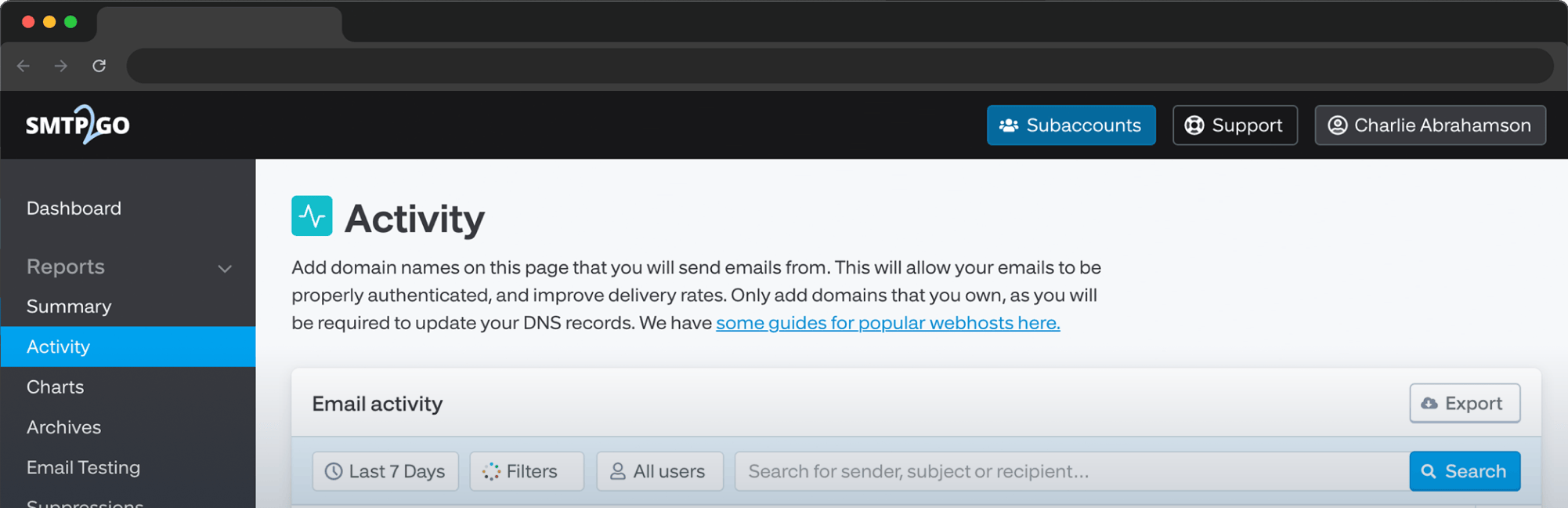
If you want to see the full bounce response for any failed email, open the message in your Activity Report and check the Timeline tab. The receiving server’s full response is logged there.
What Happens Inside SMTP2GO After a Bounce
This is the part most generic guides skip, because most generic guides aren’t written by sending platforms.
After a hard bounce: SMTP2GO automatically blocks further sending attempts to that address for seven days. The block is there to protect your sender reputation. Continuing to hammer invalid addresses is one of the fastest ways to get flagged as a problem sender. Hard-bounced addresses appear on your Suppressions page for the duration of the block.
After seven days, the address is automatically unblocked. If it’s still invalid, it’ll hard-bounce again. If you’ve corrected a typo or know the recipient has fixed something on their side, you can manually unblock the address from Reports > Suppressions in your dashboard.
After a soft bounce: no automatic block. Soft bounces usually resolve themselves. Keep an eye on patterns, though. An address that soft-bounces ten times in a row is functionally a hard bounce wearing different clothes, and you should treat it accordingly.
The forwarded-mail edge case: sometimes you’ll see a hard bounce recorded after a successful delivery. That usually means your recipient is forwarding their mail to another address, and the forwarded copy bounced at the second hop. The original delivery was fine; the forward failed because authentication between the two domains didn’t align. Frustrating, but not actually your problem to fix. The recipient needs to update their forwarding setup. (For more on authentication, see our deep dives on SPF, DKIM, and DMARC.)
What to Do Next
The status tells you what happened. This section tells you what to do about it.
If you see a hard bounce:
- Check for typos. “yohoo.com” is real and it happens more than you’d think.
- If the address is genuinely invalid, remove it from your list. Don’t wait for the seven-day window to expire and try again.
- If you have reason to believe the address will work (typo corrected, domain restored), manually unblock it under Reports > Suppressions.
- If you’re seeing a sudden cluster of hard bounces, check whether your list has gone stale or whether something upstream is feeding you bad addresses.
If you see a soft bounce:
- Read the bounce reason in the Activity Report Timeline. The receiving server usually tells you why.
- If it’s a full mailbox or temporary server issue, leave it alone. It’ll resolve.
- If it’s a size or content issue, check your message. Trim attachments, review your copy, verify your formatting.
- If it’s a rate-limiting message, slow down your send. (Sending velocity matters; see How Sending Frequency Affects Deliverability.)
- If the same address keeps soft-bouncing, treat it as a hard bounce and remove it.
If you see a rejected email:
- Open Suppressions and find out why the address is on the list.
- If it’s a recent hard bounce, fix the underlying address issue or wait out the window.
- If it’s a spam complaint or unsubscribe, do not manually unblock and resend. Respect the signal.
- Only manually unblock when you’re confident the recipient genuinely wants to keep hearing from you and the original suppression was a mistake.
How Bounces Affect Your Sender Reputation
Every bounce is a small dent in your reputation with receiving servers. Hard bounces dent harder than soft bounces, but both add up.
SMTP2GO’s published guidance: aim for an overall bounce rate below 5%. Anything higher usually points to a list-quality problem rather than a delivery problem. (For deeper benchmarks and how to read your bounce rate over time, see the bounce rate survival guide.)
The reason this matters: receiving servers use your bounce rate as a proxy for whether you actually know who you’re sending to. A clean list signals a careful sender. A dirty list signals someone who bought a database and started blasting. Inbox placement follows that judgment closely.
For the broader picture of what affects your deliverability beyond bounces, see What Affects Deliverability.
How to Prevent Bounces in the First Place
The best bounce is the one that never happens. The five things that move the needle most:
- Validate addresses at signup. Use double opt-in where it makes sense. CAPTCHA your forms.
- Clean your list regularly. Remove hard bounces immediately. Re-engage or remove inactive subscribers. (See Email Scrubbing: Why a Clean Mailing List Is Key.)
- Authenticate your domain. SPF, DKIM, and DMARC aren’t optional anymore. SMTP2GO handles SPF and DKIM automatically once you verify your domain.
- Watch your sending volume. Sudden bursts from a cold IP look suspicious. Warm up gradually.
- Monitor patterns, not events. One bounce is noise. A trend is a signal. Use the Activity Report to spot the difference.
A hard bounce is permanent (the address won’t work). A soft bounce is temporary (the address is real but something prevented this specific delivery). Hard bounces should be removed from your list; soft bounces should be monitored. No. A bounced email was sent and refused by the recipient server. A rejected email (in SMTP2GO) was blocked by SMTP2GO before it left, because the address was on your suppression list. Not after a single occurrence. Soft bounces often resolve on their own. Remove an address only if it soft-bounces repeatedly, at which point it’s effectively a hard bounce. Yes. If the same temporary issue persists long enough (a permanently abandoned mailbox that started as “full” and stayed that way, for example), receiving servers eventually escalate to a permanent failure code. The recipient is almost certainly forwarding their mail to a second address, and the forward failed. Your original delivery was fine. The recipient needs to fix their forwarding setup. SMTP2GO’s published threshold is under 5% overall. Lower is better. Hard bounces specifically should sit well below that. No. Once an email bounces (hard or soft), the bounce is the final result. If you need the message to go through, fix the underlying issue and resend from your sending software.Frequently asked questions
The Takeaway
Hard bounce, soft bounce, and rejected each tell you something different about what just happened to your message. Hard bounces are permanent and need to come off your list. Soft bounces are temporary and need a closer look. Rejected emails mean SMTP2GO already protected you from a bad send; the work now is figuring out why the address ended up on your suppression list in the first place.
If you’re an SMTP2GO user, your Activity Report and Suppressions page are where this work happens. Open them, get familiar with the Timeline tab, and you’ll diagnose most failures in under a minute.
If you’re not yet sending with SMTP2GO and you want bounce handling that protects your reputation automatically, start a free account or take the product tour. Either way, your future inbox-placement self will thank you.

No thoughts shared yet. Be the first to leave a comment above!