

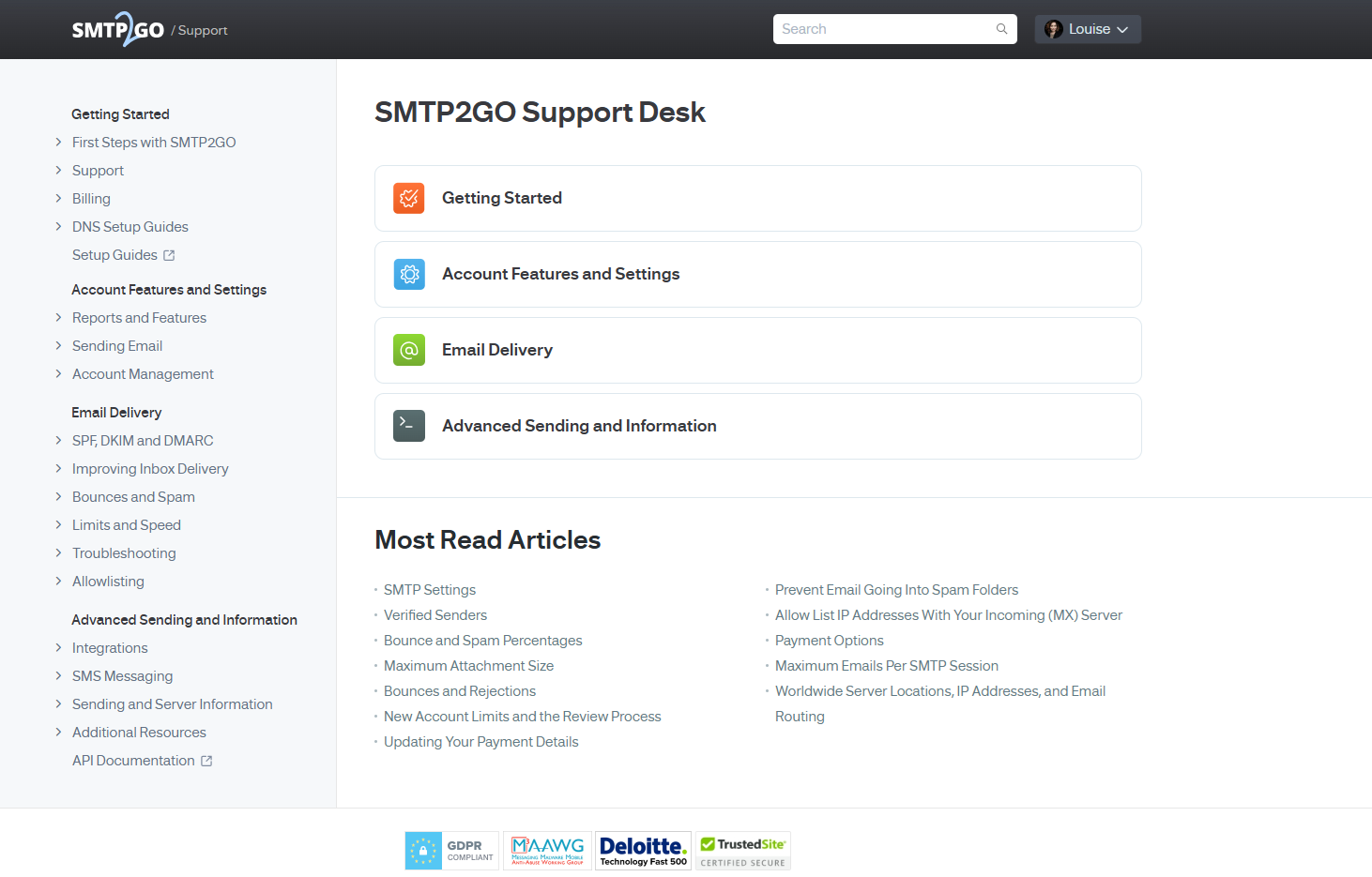
We’re so excited to share that the SMTP2GO Knowledge Base has had a makeover!
Whether you’re setting up for the first time, fine-tuning your email delivery settings, or troubleshooting an issue, having easy access to accurate information is crucial. That’s why we’ve refreshed our Knowledge Base to make your experience faster, smoother and more user-friendly than ever before.
What’s New?
Sleeker Design
We’ve modernised the layout to make it more intuitive. It’s now easier to scan, search, and find exactly what you need without digging through menus or long articles.
Improved Search
Find answers quicker with an upgraded search function that delivers more relevant results. No more hunting, just type in a keyword, and you’re off.
Mobile-Friendly
On the go? Our new design is fully optimised for mobile devices. Whether you’re working from your desktop, tablet, or phone, the information you need is always at your fingertips.
Streamlined Navigation
Our articles are now neatly categorised, so you can explore topics like SMTP setup, delivery settings, and integrations with ease. Got a question? You’ll know where to start.
Clearer Support Pathways
Need to reach out? It’s now even easier to contact our support team directly from the Knowledge Base if you need a helping hand.
Your Feedback Matters
We’ve made these updates based on feedback from users like you, and we’re not stopping here. If you spot something missing or think an article could be improved, let us know. Our goal is to keep making your SMTP2GO experience better.
Visit the updated Knowledge Base today and see the difference for yourself!



No thoughts shared yet. Be the first to leave a comment above!